


3 People, One DGX Spark: Where a Shared AI Workspace Breaks First
Three people using one NVIDIA DGX Spark sounds simple.
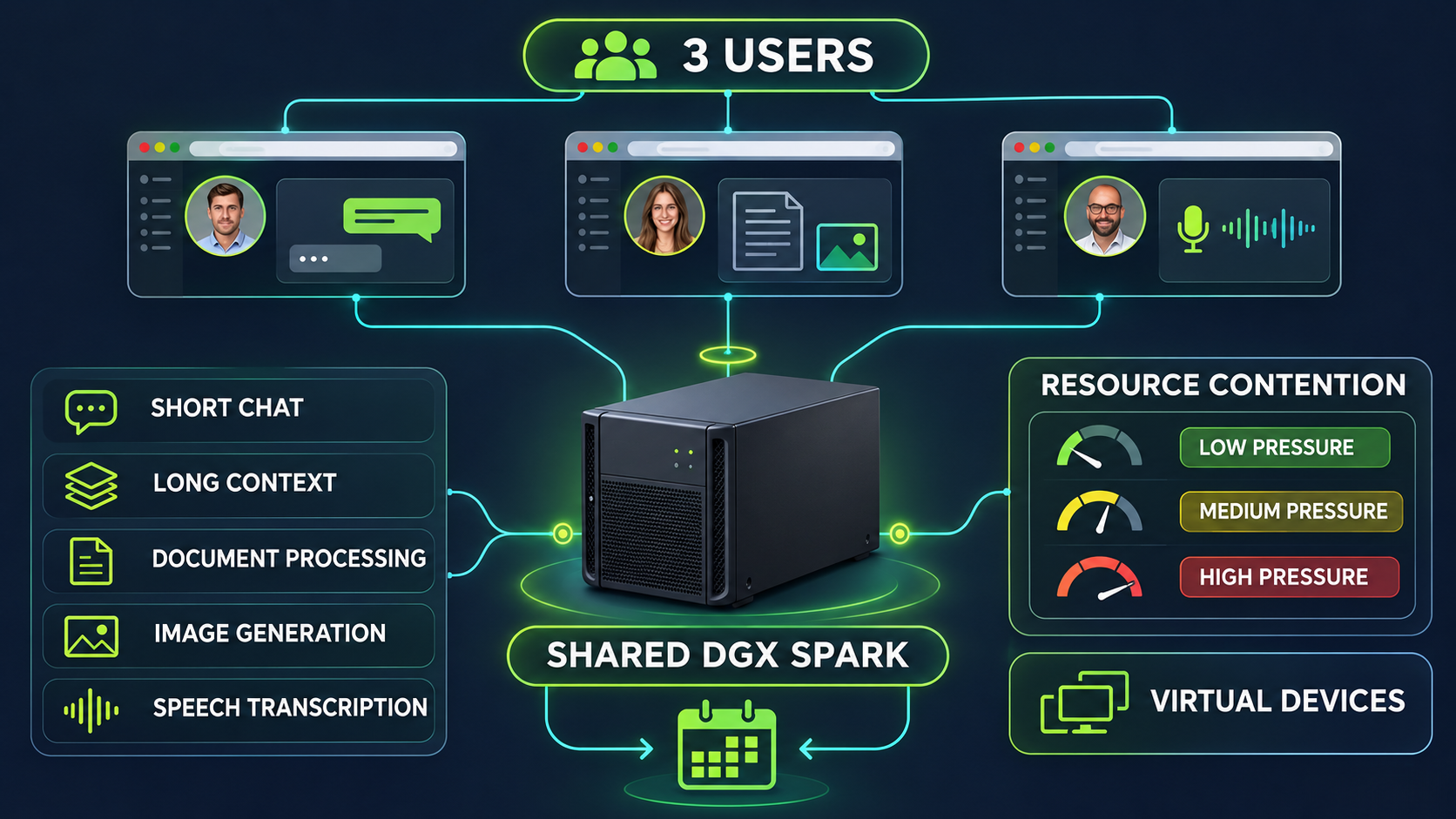
One person chats with a local model. Another processes a document. A third starts a virtual device or runs an image-generation task.
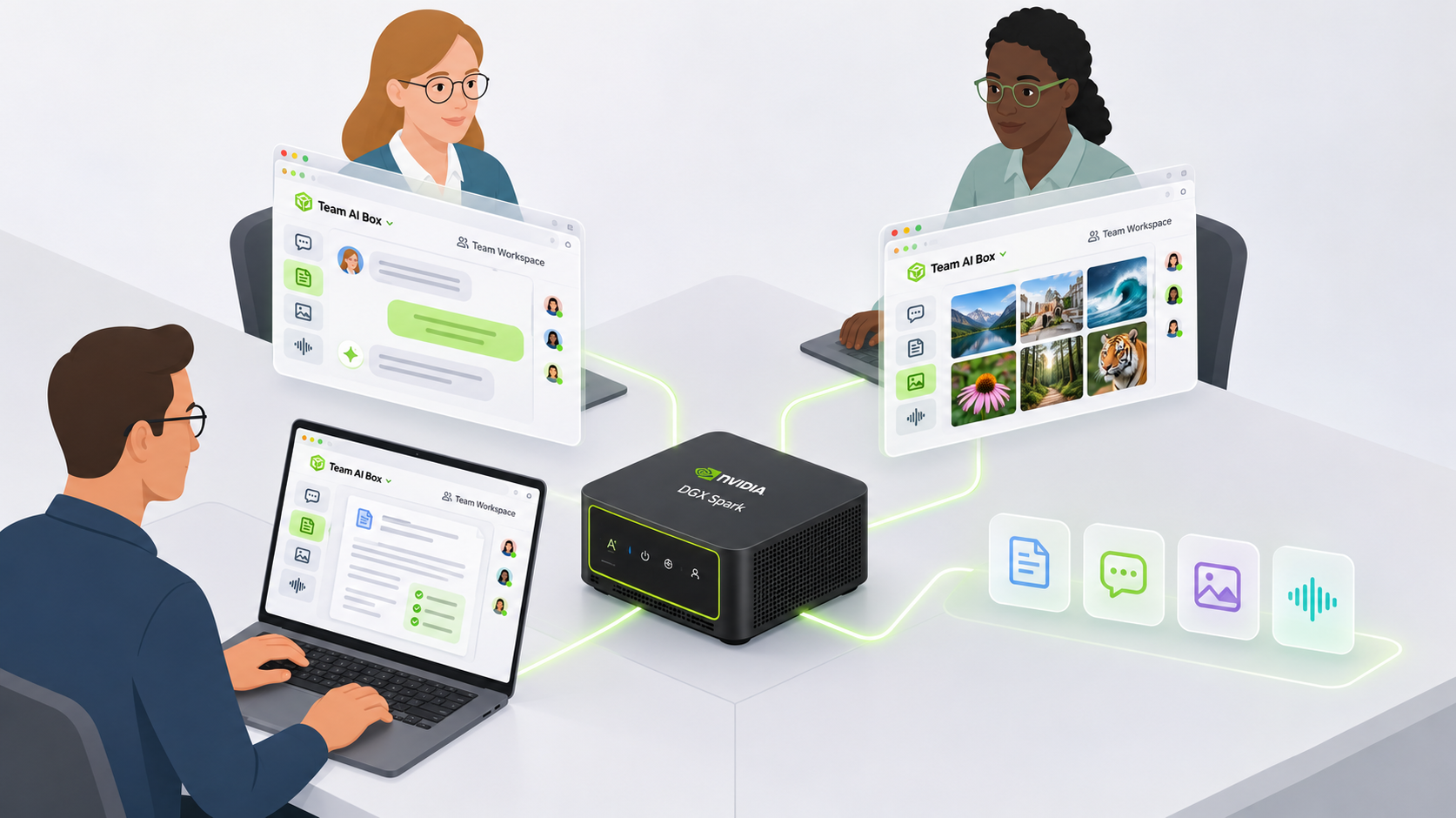
Team members can access the same Team AI Box workspace from different computers. The practical question is whether three concurrent workloads remain responsive. That depends on the models, context lengths, applications, and virtual devices the team uses—not simply on the number of people.
For planning purposes, the first signal to test is usually user-perceived latency rather than an immediate system crash. Users may encounter longer response times, queued tasks, reduced memory headroom, or contention between AI applications and virtual devices.
A 128 GB NVIDIA DGX Spark configuration provides 128 GB of unified system memory and 273 GB/s memory bandwidth. The operating system, model weights, KV cache, containers, files, applications, and virtual machines share the system’s finite resources. NVIDIA DGX Spark specifications
Team AI Box adds a browser-based team workspace around supported DGX Spark hardware. It combines local AI applications, team files, messaging, document tools, and virtual devices so people can share one local environment without installing a complete AI stack on every computer. Explore Team AI Box
This article is a three-user testing guide. It does not promise a fixed number of simultaneous users or replace a workload-specific capacity test.
The Short Answer: What Will You Notice First?
For a three-person team, test these pressure points in order:
- Interactive response time — users wait longer for answers.
- Unified-memory headroom — large models, long prompts, and multiple applications consume the shared memory pool.
- Workload contention — image generation, transcription, text recognition, and virtual devices may compete with local LLM inference.
- Operational availability — one shared appliance becomes important to everyone’s work.
- Team process — accounts, files, task ownership, and review rules become essential.
Three short text conversations are a different workload from three long-context sessions running alongside image generation, transcription, or virtual machines.
A DGX Spark Is Shared Compute, Not Three Separate Workstations
DGX Spark is designed for local AI development, inference, and experimentation. Its unified memory architecture allows large models and workloads to use a common memory pool.
When several people work at the same time, they may share:
- Model weights
- KV cache
- CPU memory
- Memory bandwidth
- Container resources
- Storage activity
- Virtual-machine resources
- Application startup capacity
This is why a model that fits comfortably for one user may feel slower for three users.
Memory capacity answers one question:
Can the model and application start?
It does not answer:
Can three people use them comfortably at the same time?
What Three Users Actually Means
Three short text conversations
Three people ask short questions using a lightweight model. This is usually the easiest scenario to test. Users may still notice a longer time to first response, lower generation speed during simultaneous output, or occasional waiting when requests arrive together.
A shared local LLM can work well for this pattern when the team accepts that the underlying compute is shared.
One long-context task and two normal chats
One user uploads a large document or maintains a long conversation while two others use the assistant. Long context can increase memory use and processing time, so the long request may affect the responsiveness of other sessions.
This is where a shared AI workspace can begin to feel like one shared queue rather than three independent assistants.
Text inference, image generation, and transcription
A realistic team may use different applications at the same time:
- One person asks questions in the AI assistant.
- One person generates an image.
- One person transcribes a meeting.
These workloads use different parts of the system, but they may still compete for shared compute, memory, bandwidth, storage, or application startup capacity. The result may be slower task completion or more variable response times.
Team AI Box lists local AI assistance, image generation, text recognition, speech transcription, and translation among its workspace capabilities. View Team AI Box capabilities
AI workloads plus virtual devices
Virtual Android phones and virtual Windows or Linux computers add another layer of resource usage. A team member may test an Android application while another runs a local model and a third processes a document.
Planning pressure points can include:
- Unified memory
- CPU scheduling
- Disk activity
- Virtual-device startup
- Browser streaming
- Audio and display handling
Team AI Box provides persistent virtual Android devices and browser-accessible Windows and Linux computers. Windows and Linux guests require compatible ARM64 installation media and the appropriate operating-system licenses. Read the virtual device guidance
The practical rule is simple: include virtual devices in the capacity test instead of treating them as cost-free additions.
Why Latency Is the First Signal to Test
When people ask whether three users will “crash” a DGX Spark, they often mean two different things:
- Will the system become unavailable?
- Will the system become too slow to use?
The second question should be tested first. A workspace may remain online while users experience:
- Longer waiting times
- Slower streaming output
- Delayed file processing
- Queued image-generation jobs
- Slower virtual-device interaction
- Uneven performance between users
This distinction matters because a system can be technically available while failing the team’s practical expectations.
For example, if a transcription task eventually completes but makes interactive AI work unusable for several minutes, the issue is workload scheduling rather than a total system failure.
Why Unified Memory Matters for a Multi-User Local LLM
The 128 GB NVIDIA DGX Spark configuration shares its unified memory between the operating system and workloads. NVIDIA’s guide documents the platform’s unified memory architecture and 273 GB/s memory bandwidth. NVIDIA DGX Spark User Guide
For a multi-user local LLM deployment, this creates several planning considerations.
Large models leave less headroom
A model may fit in memory but leave less room for containers, long prompts, multiple conversations, file processing, virtual devices, and temporary buffers. Treat the full memory specification as system capacity, not as memory that can all be assigned to model weights.
Long context increases pressure
Long conversations and large document inputs can increase memory use and processing time. If three people submit long-context tasks together, answer quality may remain acceptable while latency becomes frustrating.
Bandwidth does not scale linearly with users
Memory bandwidth affects movement of data between the processor, model weights, and other system components. When several workloads compete for bandwidth, dividing a single-user benchmark by three is not a valid capacity estimate.
The correct approach is to measure the team’s actual workflows.
Shared AI Workspace vs. Shared Model Endpoint
A shared model endpoint answers:
Where can users send inference requests?
A shared AI workspace answers a broader question:
How do people access AI applications, files, conversations, virtual devices, and team workflows from one environment?
Team AI Box provides a browser-accessible workspace with:
- AI assistance
- Image generation
- Text recognition
- Speech transcription
- Translation
- Team drive
- Direct and group messaging
- Wireless casting
- Virtual Android phones
- Virtual Windows and Linux computers
- User accounts and task-status visibility
The browser model lets team members use the workspace from their own computers without installing a complete local AI environment at every desk. See how to share one DGX Spark with a team
The workspace layer improves access and coordination; it does not create unlimited compute or automatic GPU isolation.
A Practical Three-Person Capacity Model
Use workload classes instead of a single user-count claim.
| Workload | Typical pressure | Planning approach |
|---|---|---|
| Short text questions | Low to moderate | Test simultaneous requests |
| Long-context chat | Memory and latency | Limit prompt size and measure response time |
| Text recognition and document processing | Burst workload | Test real files and queue large jobs when needed |
| Speech transcription | Processing and storage | Test real meeting recordings |
| Image generation | Compute and memory contention | Avoid overlapping heavy jobs during the pilot |
| Virtual Android device | Persistent resource use | Test alongside AI workloads |
| Windows/Linux VM | Memory, CPU, disk, and browser streaming | Validate with real guest applications |
This table is a planning framework, not a performance guarantee.
Define “usable” for every workflow before testing:
- Maximum acceptable time to first response
- Maximum acceptable task completion time
- Whether users tolerate a queue
- Which workflows may run in the background
- Which tasks must remain interactive
- What happens when memory pressure appears
How to Test a Three-Person Team AI Deployment
Test 1: Three simultaneous conversations
Have three people sign in from separate computers and start similar conversations. Record time to first response, streaming speed, completion time, and whether one request slows the others.
Test 2: Mixed workloads
Run one text conversation, one document-processing task, and one transcription or image-generation job. This reflects a shared local AI workspace more realistically than three identical prompts.
Test 3: Virtual-device overlap
Run an AI task while a virtual Android phone or virtual computer is active. Check browser responsiveness, audio, device interaction, and changes in AI response time.
Test 4: Recovery behavior
Test what happens after a long task is cancelled, a model fails to start, a browser session disconnects, a virtual device restarts, or multiple users submit work together.
The objective is not to prove that the system never slows down. It is to learn how the team should use it when the appliance is busy.
Team AI Rules That Prevent Avoidable Bottlenecks
Keep one primary interactive model
Start with one approved model for interactive work. Add specialized models only after measuring their effect on memory and startup time.
Separate interactive and background work
Meeting transcription, text recognition, translation, and large document processing may be better treated as background tasks. Make it clear when a long-running job is using shared capacity.
Avoid unrestricted long prompts
Use the smallest context that supports the task. Large prompts and unnecessary file attachments can increase processing time without improving the result.
Use the team drive
Team AI Box provides a team drive for uploading, organizing, sharing, and reusing files. Keeping source material in one workspace reduces repeated uploads and makes handoffs easier.
Give every user an account
Individual accounts make it easier to understand who started a task, who owns a file, and who should review an AI result. Do not make one administrator login the default for the whole team.
When One DGX Spark Is the Wrong Size
A single DGX Spark may suit a small team when workloads are moderate, occasional queues are acceptable, heavy tasks can be scheduled, and someone owns operations and recovery.
It may be the wrong size when every user requires consistently low latency, several large models must remain active, heavy image and LLM workloads run together, virtual machines must remain continuously available, or the team needs high availability.
NVIDIA also documents official eight-node DGX Spark cluster support for substantially larger memory and distributed workloads. That is a separate infrastructure decision and should not be interpreted as automatic multi-node support within Team AI Box. NVIDIA eight-node DGX Spark cluster announcement
Frequently Asked Questions
Can three people share one DGX Spark?
Yes. Team members can access a shared DGX Spark workspace, but the practical experience depends on the models, context lengths, applications, and simultaneous workloads. There is no universal three-user performance guarantee.
What usually becomes a problem first in a multi-user local LLM setup?
User-perceived latency is the first thing to test. Long-context requests, multiple models, image generation, transcription, and virtual devices may increase contention.
Is a shared AI workspace the same as three separate AI workstations?
No. A shared workspace provides one common compute environment and a browser access layer. It reduces duplicated setup, but users still share the underlying resources.
Does Team AI Box guarantee three simultaneous AI users?
No. Team AI Box provides the workspace and applications, but concurrency depends on the DGX Spark configuration and actual workload. Teams should test real workflows before promising a fixed capacity.
Do users need to install local AI software on their own computers?
Usually not. Team members can connect to the browser-based workspace from their computers while the local processing environment remains on the supported DGX Spark installation.
Is a shared local AI workspace automatically private?
Local processing can reduce dependence on external model services, but privacy still depends on permissions, backups, logs, network access, and optional external connections.
Conclusion: Three Users Are a Workflow Question
Three people sharing one DGX Spark may work well. The answer depends less on the number three than on what those people do at the same time.
Three short chats are one workload. A long document analysis, image-generation task, transcription job, and virtual machine running together are another.
The first signal to measure is usually shared responsiveness. After that come memory headroom, workload contention, storage and virtual-device pressure, and the operational importance of one shared appliance.
Team AI Box adds browser access, local AI applications, team files, messaging, and virtual devices around supported DGX Spark hardware. Start with three real users and one real workflow. Measure response time, task completion, memory headroom, and recovery behavior before expanding the deployment.
That is how a DGX Spark becomes a useful shared local AI workspace instead of an overloaded single-user workstation.
Explore Team AI Box capabilities or read the DGX Spark deployment guide.