Keep your work close
Local AI tasks run on your box. Your team decides whether to connect external model services.
Run local AI, image generation and document tools on NVIDIA DGX Spark. Team AI Box brings team files, messaging and virtual devices into one open-source, browser-based workspace.
Local-first · Original code under MIT · Offline installation
TEAM AI BOX · English
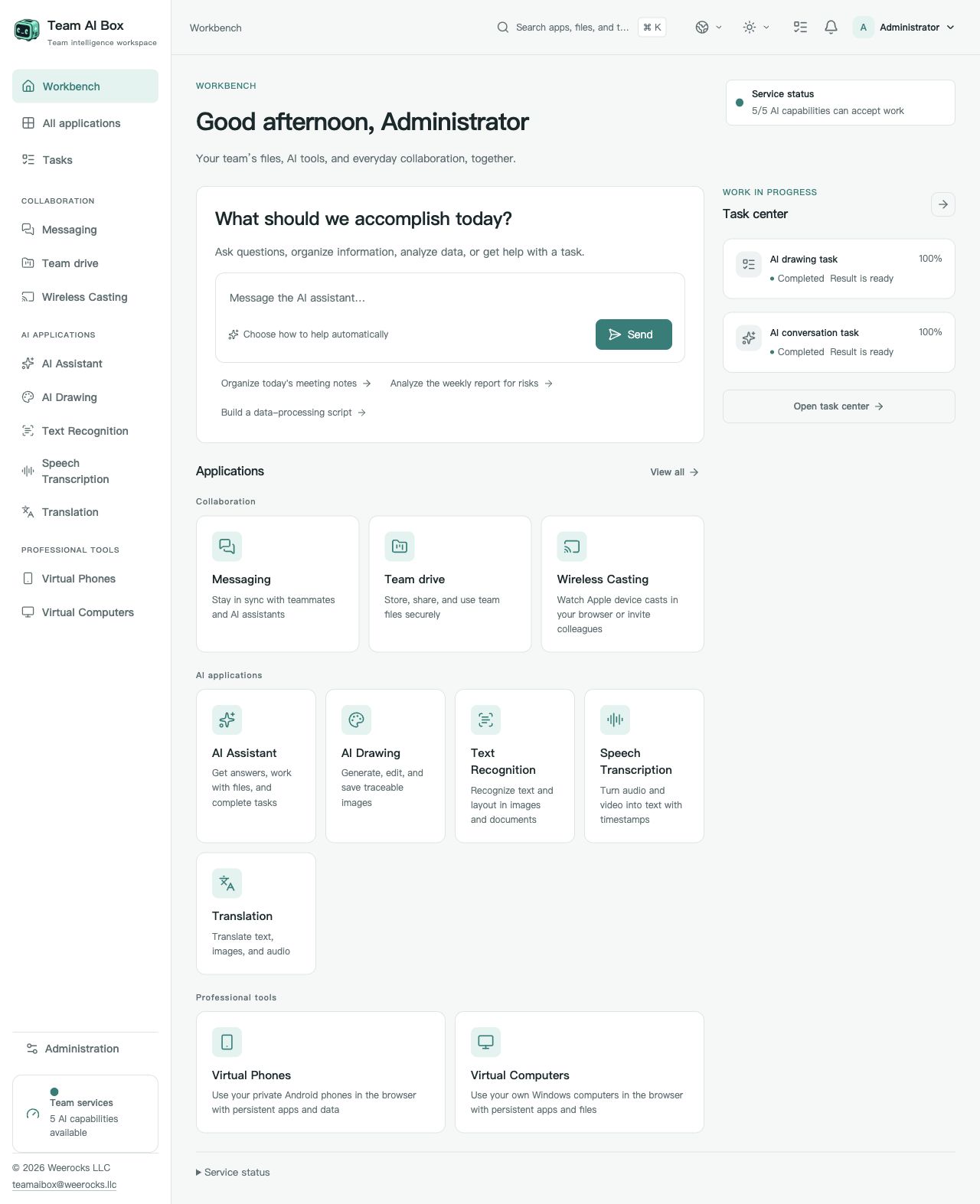
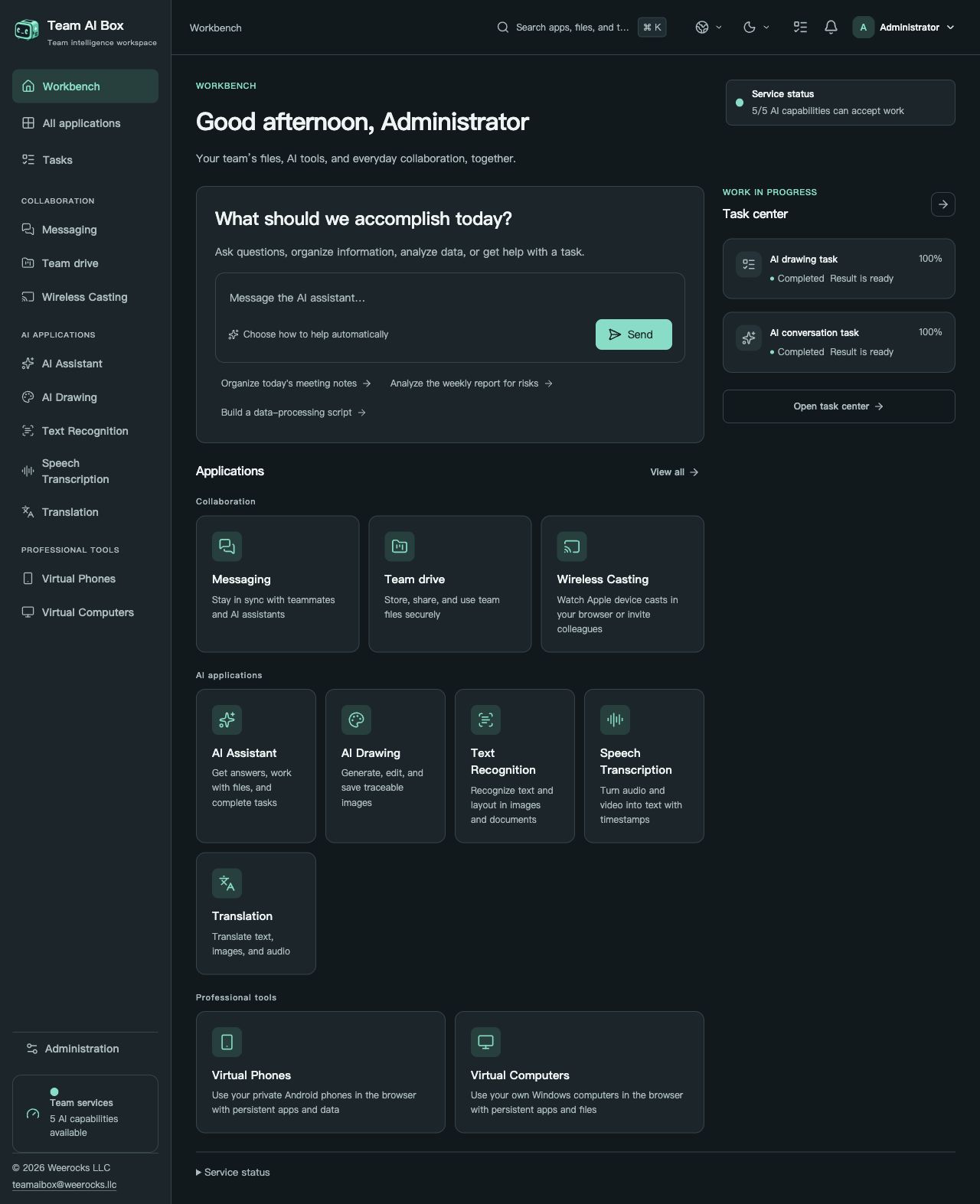
Your DGX Spark. Your team's AI workspace. Team AI Box turns one NVIDIA DGX Spark into a browser-based workspace for local AI, shared files, communication and virtual devices. It is built for teams that want to own their deployment and use the same tools from multiple computers, without installing a separate AI stack on every desk.
BUILT AROUND YOUR TEAM
Bring AI closer to the files, conversations, and devices your team uses every day. Make room for the work that matters.
Local AI tasks run on your box. Your team decides whether to connect external model services.
Give your team browser access without setting up a separate AI environment for everyone.
Turn the local power of DGX Spark into useful everyday AI and virtualization tools.
Original code is MIT-licensed. Read it, change it, and build a workspace around your team.
POWERED BY NVIDIA DGX SPARK
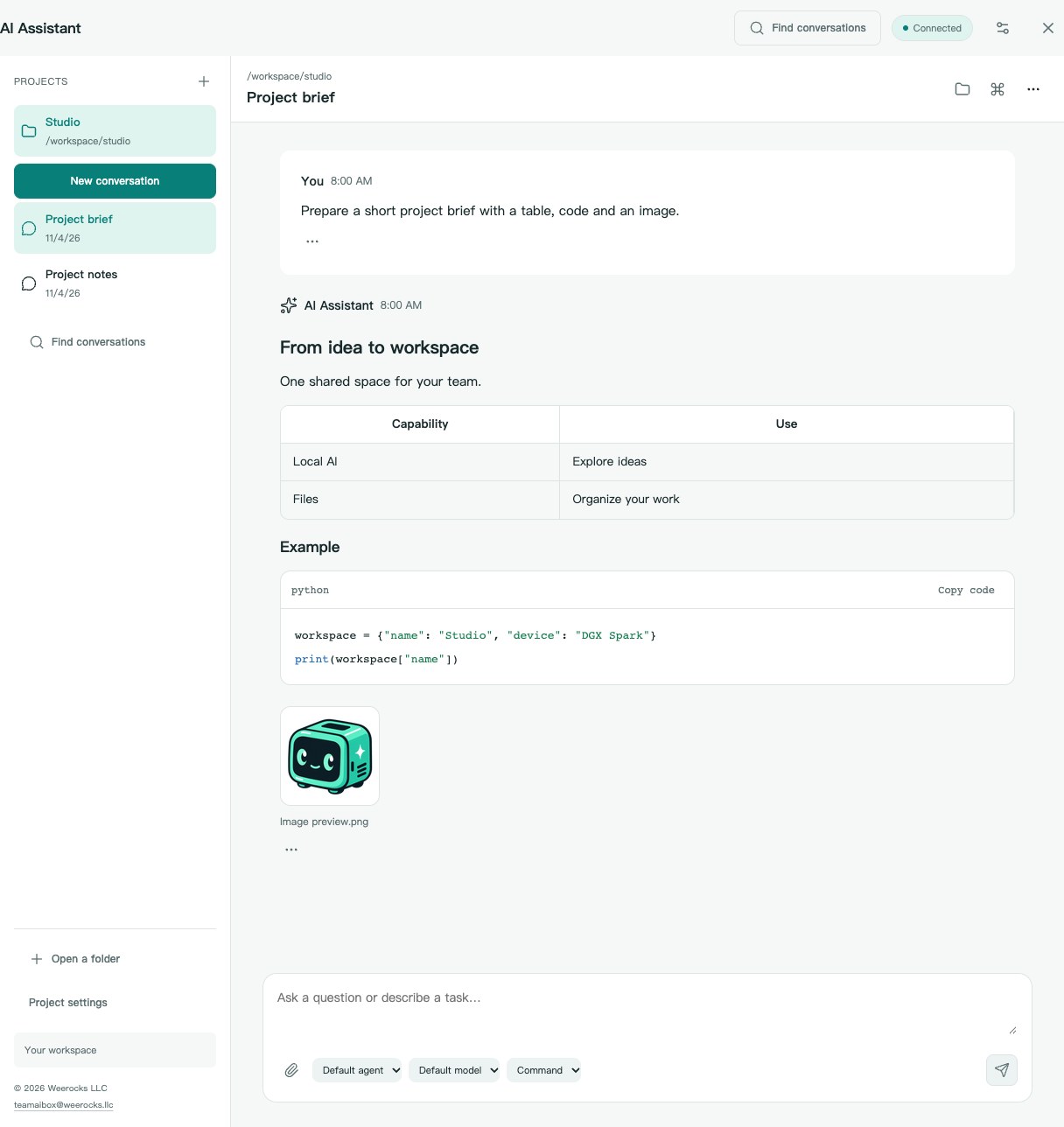
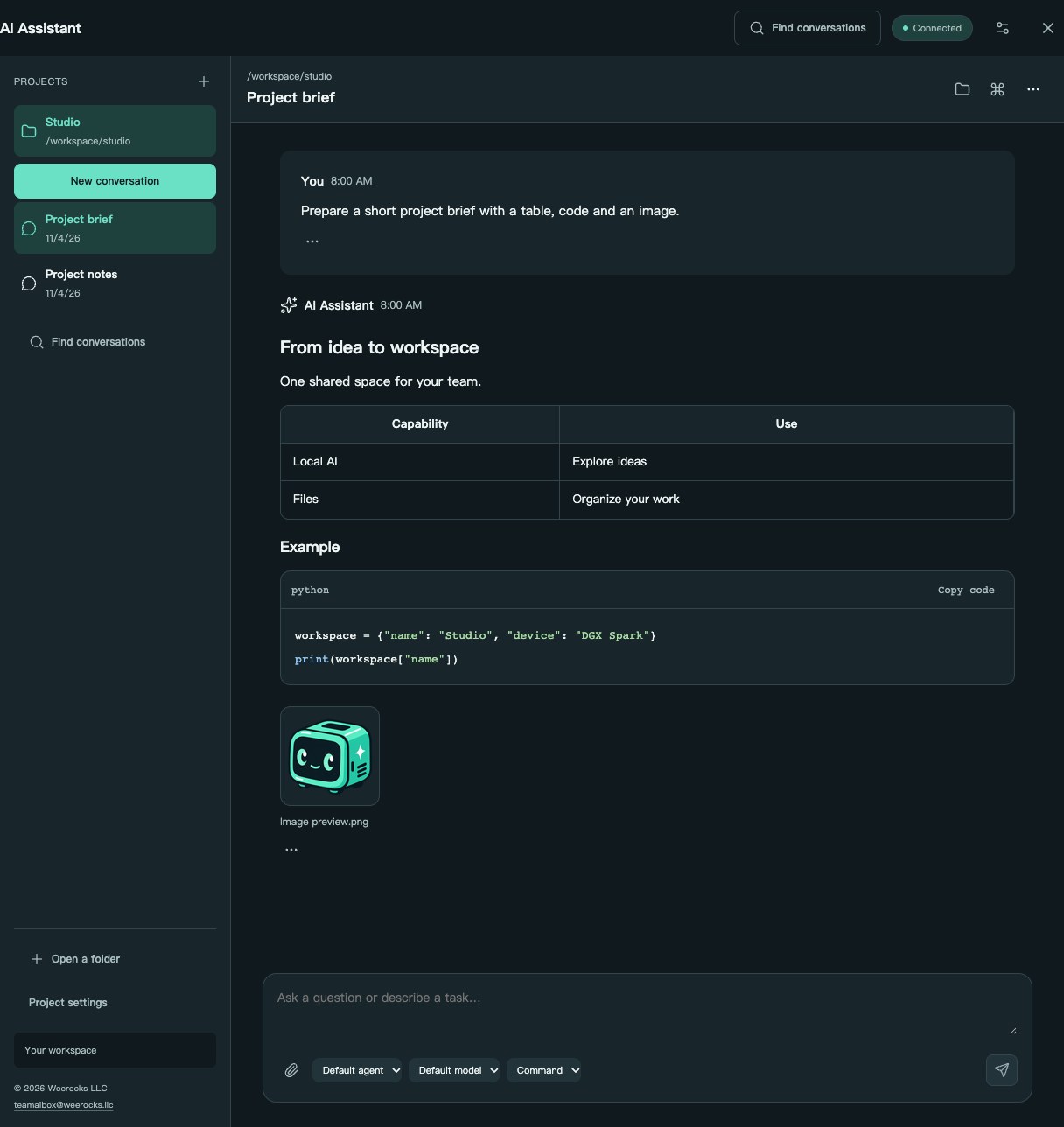
Work with OpenCode-powered projects and conversations on your DGX Spark. Read streaming Markdown, tables, highlighted code, formulas and diagrams; preview workspace images, download attachments and follow tool progress without leaving the conversation.
Generate images from text prompts, preview and download results, and follow task progress in the workspace.
Extract text, tables and formulas from images and PDFs within the selected model’s capabilities, then review and reuse the results.
Turn audio or video into text with timestamps. Review recordings as searchable working material for meeting notes, subtitles and follow-up work.
Translate text and supported files, with source/target languages drawn from the installed model's capabilities. Interface languages and model translation languages are separate lists.
Keep direct conversations and group discussions in the same workspace as team files. Manage messages and remove chats through visible controls.
Upload, organize, share and reuse team files. Choose existing files in supported application workflows instead of uploading the same material repeatedly.
Present from compatible Apple devices and watch in a browser, including sound. Colleagues on the appropriate network can join viewing; discovery depends on LAN connectivity.
Use persistent Android devices in a browser, install applications and return to your own device state. Each phone has its own apps and data; Google services remain subject to their own compatibility and licensing conditions.
Upload an authorized ARM64 ISO or select one from team drive, mount the virtual optical drive and install through the virtual display. See boot and restart screens, use audio, invite viewers or controllers, hand off control or share control, and reclaim it as owner. Remote desktop is an additional mode, not a prerequisite for the display.
Create ordinary accounts, manage access and see application readiness and task progress. An application becomes available when its own dependencies are ready; first model startup can take time.
In the AI assistant, organize work by project and return to a previous conversation when you need its context. Ask for a comparison table, an explanation with a formula or a Mermaid workflow diagram. Answers display formatted Markdown as they arrive; code blocks include a copy button so you can reuse the source.
Open supported workspace images and image attachments for a larger preview, or download available file attachments. Tool cards show whether an operation is waiting, running, completed or failed. Scroll back to review earlier messages without losing your place, then jump to the latest output. Images hosted on other websites open only when you choose their external link.
NVIDIA GB10 · GRACE BLACKWELL
NVIDIA DGX Spark is a compact desktop AI system powered by the GB10 Grace Blackwell Superchip. The 128 GB configuration combines a 20-core Arm CPU, a Blackwell GPU and 128 GB of unified system memory with 273 GB/s memory bandwidth. NVIDIA specifies up to 1 PFLOP of theoretical AI compute at FP4 precision with sparsity.
Unified memory is shared system memory, not dedicated VRAM. Specifications vary by configuration; theoretical compute does not establish application speed or concurrent-user capacity.
DGX Spark supplies the compute. Team AI Box adds a shared interface for local inference, image generation, OCR, transcription, translation and collaboration.
NVIDIA DGX Spark hardware specifications ↗Team AI Box is an independent project by Weerocks LLC, not an NVIDIA product, certification or endorsement. Hardware support in this project is defined by the installation requirements below.
Team AI BoxLOCAL BY DESIGN
One core workspace on a single DGX Spark. Your team connects from their browsers, with no extra server to deploy. External services are a choice, not a prerequisite.
FROM BOX TO WORKSPACE
Use a fresh DGX Spark with Ubuntu 24.04 ARM64, working Docker Engine + Compose v2, NVIDIA drivers/container support, KVM, Git and Python 3.10+. Allow several hundred GB of temporary free space for models, container builds and the package. Do not run a fresh installation over existing business data.
Run these commands on the Spark, not on a desktop laptop. The installer downloads model/build inputs, builds runtime images, creates a complete offline package and installs it. This first source build requires internet access and substantial download/build time; clone alone does not install the product. Docker and the NVIDIA environment are reused, not replaced.
Deployment guidegit clone https://github.com/weerocksllc/teamaibox.git
cd teamaibox
sudo bash install/from-source.shOPEN SOURCE. OPEN POSSIBILITIES.
Great tools shouldn’t be black boxes. Explore the code, improve the experience, and build your own integrations. Give your team’s workspace a future you can shape.
Third-party components, models, and systems retain their own licenses. MIT does not cover the entire offline package.
FREEDOM TO BUILD
Original code and docs by Weerocks LLC
A FEW THINGS TO KNOW
Considering Team AI Box for your team? Tell us how you work.
teamaibox@weerocks.llcThe current target is a single NVIDIA DGX Spark with its factory OS and an existing Docker / NVIDIA environment. Windows and Linux virtual machines use ARM64 system images.
Run these commands on the Spark, not on a desktop laptop. The installer downloads model/build inputs, builds runtime images, creates a complete offline package and installs it. This first source build requires internet access and substantial download/build time; clone alone does not install the product. Docker and the NVIDIA environment are reused, not replaced.
Original Weerocks LLC code and documentation are MIT-licensed. Third-party code, model weights, Google services, Windows, and NVIDIA components retain their own terms and are not automatically covered by MIT.
Run these commands on the Spark, not on a desktop laptop. The installer downloads model/build inputs, builds runtime images, creates a complete offline package and installs it. This first source build requires internet access and substantial download/build time; clone alone does not install the product. Docker and the NVIDIA environment are reused, not replaced.
No. Upload or select an authorized ARM64 ISO from your team drive, then install Windows or Linux through the virtual display. You provide the required operating-system license.
Team AI Box provides virtual Windows and Linux computers, not a replacement for the Spark host operating system. Use a compatible Windows 11 ARM64 or Linux ARM64 ISO, install through the browser-based virtual display and supply any required operating-system license. Guest application and driver compatibility must be checked separately.
No. Run install/from-source.sh on a fresh, supported DGX Spark. The initial online preparation downloads models and dependencies, builds containers and creates the installation package. For an offline target, prepare the complete package on a connected compatible machine first. Keep the build workspace to resume interrupted preparation.
Start with one box. Bring a world of possibility into your workspace.
Explore local AI, document workflows, team collaboration and virtual devices—and understand which layer provides each capability.
Plan accounts, shared files and local AI access without installing a separate AI stack on every desk.
Understand ARM64 media, guest installation, browser displays and operating-system licensing before creating a virtual computer.
OPEN SOURCE · MIT
We welcome bug reports, documentation, translations, accessibility improvements, application integrations and code. Start with an issue describing the user problem, fork the repository, create a focused branch and submit a pull request with relevant checks and screenshots. You do not need to own a Spark to improve docs or isolated components; label hardware-dependent results honestly. Never attach secrets, personal files or signed-in device images. Report vulnerabilities privately through SECURITY.md, not a public issue. No mandatory CLA or paid contributor permission is required.
Contribution workflow