


Private PDF OCR on DGX Spark: A Local Guide
Private PDF OCR on DGX Spark means using a local-first workflow to extract text from scanned PDFs on supported DGX Spark infrastructure instead of relying on a hosted OCR service by default.
This is useful for contracts, internal reports, customer documents, financial records, technical manuals, and scanned archives. Team AI Box adds local AI applications, text recognition, team files, and messaging in a browser-accessible workspace. Explore Team AI Box capabilities
What Is PDF OCR?
Optical character recognition converts text in scanned pages or images into machine-readable text. Depending on the selected model and document quality, it may recognize text, tables, numbers, formulas, and page structure. Team AI Box supports text recognition from images and PDFs, including text, tables, and formulas within the selected model’s capabilities.
Why Run Private PDF OCR on DGX Spark?
Local processing can reduce the need to upload sensitive files to third-party OCR services. This may help with customer contracts, internal pricing, legal correspondence, and technical designs.
“Private” does not mean automatic privacy protection. Network access, external model services, storage, backups, logs, and permissions all affect the data boundary.
Team AI Box also connects OCR with summarization, translation, document review, and team collaboration. Team members can access the workspace from browsers without installing a complete local AI environment on every computer. See how to share one DGX Spark
Private PDF OCR Workflow
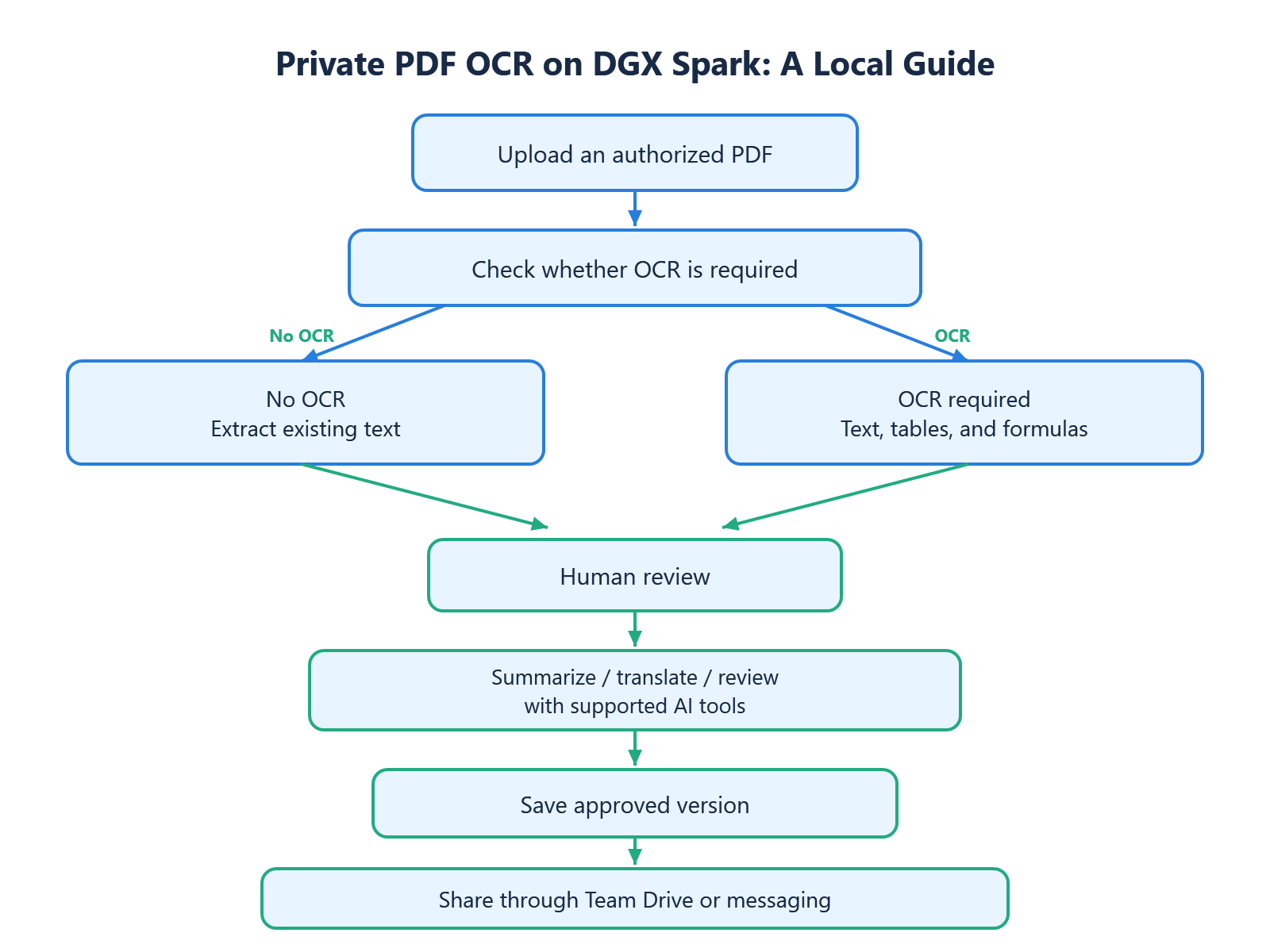
- Upload an authorized PDF.
- Check whether it already contains searchable text.
- Run supported text recognition on scanned pages.
- Review names, dates, amounts, tables, and formulas.
- Summarize, translate, or review with supported AI tools.
- Save the approved version to Team Drive and share it through messaging.
Keep the original PDF separate from the OCR result and reviewed version so important content can be checked against the source.
Privacy and Local Processing Boundaries
Local OCR can reduce exposure to external OCR APIs, public upload sites, and unapproved cloud storage. It does not automatically solve weak passwords, excessive permissions, insecure remote access, unencrypted backups, or OCR errors.
Sensitive or regulated files require clear rules about what must remain local and which external services, if any, are allowed. Initial installation, model downloads, updates, and backups may require network access, so local-first does not necessarily mean permanently offline. Read the deployment guide
DGX Spark Resource Considerations
DGX Spark uses unified memory. The operating system, models, containers, OCR tools, and virtual devices share the same physical memory pool. Large PDFs, multiple users, long contexts, image generation, and virtual devices can compete for resources.
Do not promise a fixed concurrency number from hardware specifications alone. Test real PDFs, tables, languages, and simultaneous tasks, then measure completion time and available memory. Read the team capacity guide
Frequently Asked Questions
Can Team AI Box extract tables and formulas from PDFs?
Yes, within the selected model’s capabilities. Important results should still be checked against the original document.
Do employees need their own DGX Spark?
No. Team members can use the browser-based workspace while supported processing runs on the shared DGX Spark installation.
Is private PDF OCR completely offline?
Not necessarily. Installation, model downloads, updates, backups, and optional external services may require network access.
Conclusion
Private PDF OCR on DGX Spark is most useful as part of a complete local document workflow. Team AI Box brings local AI, text recognition, team files, and messaging into one browser-based workspace.
Start with one document type and one workflow. Test recognition accuracy, permissions, resource usage, and external-service boundaries before expanding. Learn more from the Team AI Box website, the deployment guide, or How to Share One DGX Spark With Your Team.